

Published by TrueFuture Media
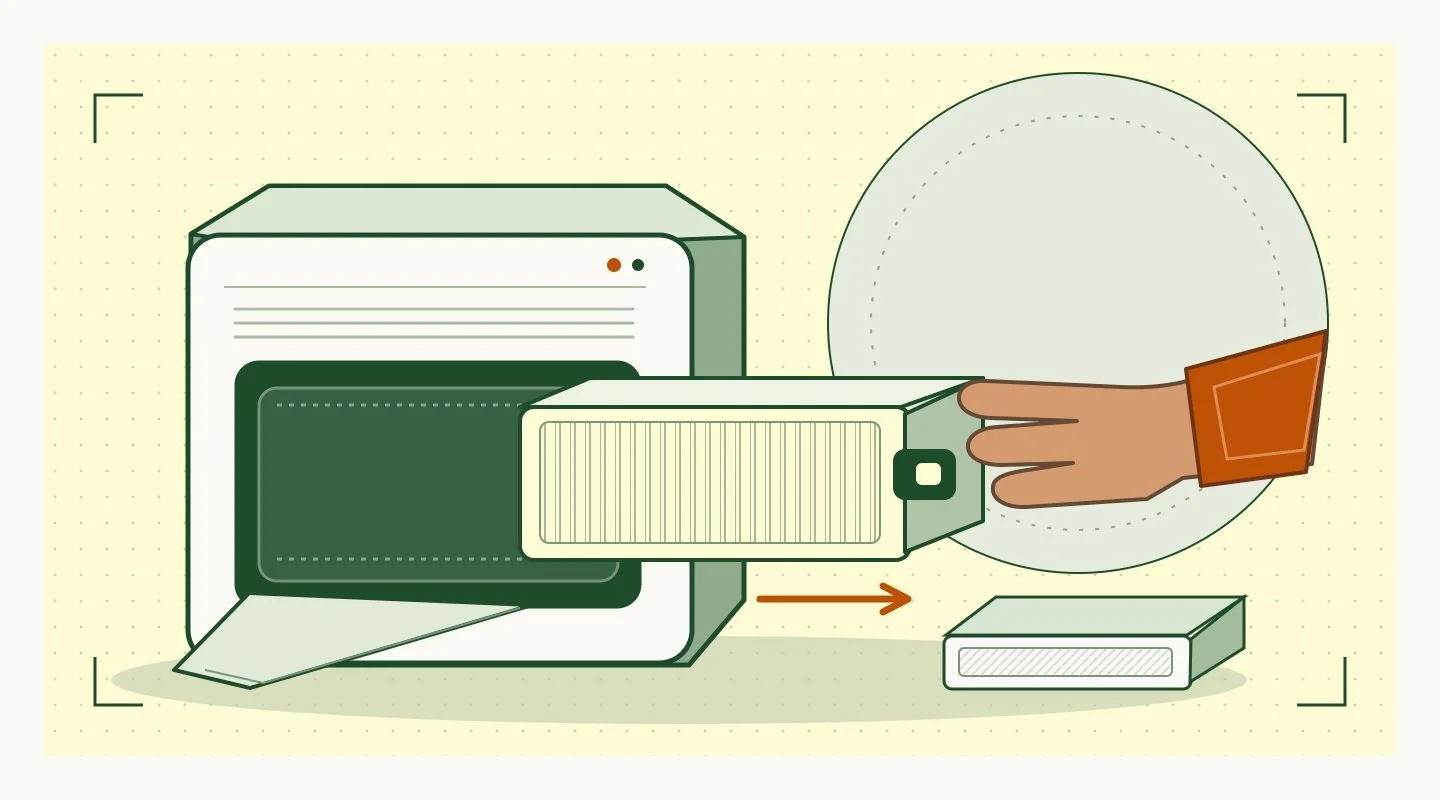
The filter comes out in one smooth pull. Then the video cuts to the appliance running again. If you’re thinking of buying it, you just missed the part that decides whether you’ll want to maintain it: which filter to order, where to set the dirty one, and whether the unit can run again right away.
How do you make a useful product maintenance video? Choose one routine task a buyer would have to live with, then record it from the moment the owner notices it’s due until the product is ready for normal use again. Show the exact model, the space and tools the job needs, what the owner handles, and which parts they clean or replace. Separate hands-on time from waiting time, and disclose edits that skip either. Have a product expert check the sequence against the current instructions before you publish. Make the next step specific: help the buyer find the right part, check the manual, or confirm that the task fits their space and schedule. Label any measured time as a result from that setup.
A buyer of a home system might be sold on performance and still hesitating over upkeep. If access takes more room than their closet has, or a part needs a separate order, that changes the purchase. TrueFuture’s Social Demand Loop shows how to take a practical buying question like that from proof to a useful next step.
What task should you show?
Start with something the buyer is likely to do again after the sale. Open the current manual and compare it with questions people are already asking sales or support. Is the concern how far a panel opens, how often something needs cleaning, or who has to carry out the work? Pick the concern that would change a buying decision. A video about replacing a part and a video about cleaning it answer different questions.
Specify the model and version in the brief. Set an honest start and finish. A five-minute task might start with the right kit already on the counter; that’s useful to state. Ask the product expert which actions an owner can perform and which call for a technician. Keep hazardous or technician-only work out of an owner demo. The product comparison guide covers how to make the same conditions explicit when you compare two models.
Which shots earn their place?
Film a complete reference take for the editor. Then shoot close-ups for the steps viewers would have trouble seeing. A wide shot often does more for a fit question than a close-up: it shows how far the door opens, where the operator stands, and what’s in the way.
| Show | Keep in frame | Buyer question |
|---|---|---|
| Due signal | Documented indicator, schedule, or visible condition | How do I know it’s time? |
| Access | Clearance, cover, latch and hand position | Can I reach it where mine will live? |
| Tools and parts | What the owner supplies, reuses or replaces | What do I have to keep on hand? |
| Work | The step that takes effort, with pauses noted | What will I actually have to do? |
| Cleanup | What comes out and where it goes | What happens to the used part or mess? |
| Back in use | Reassembly and the documented ready state | How do I know I can use it again? |
How do you report time honestly?
Record two things: how much time the owner spends doing the work, and when the product is ready again. Cleaning a reusable part can take little hands-on time even when it has to dry before you put it back. Ordering a replacement part is another kind of wait. A video that shows one and skips the other can leave buyers with the wrong idea about downtime.
If you use a stopwatch, write down the starting conditions: the model, operator, tools, whether parts were ready, and any stopping point. “Three minutes of hands-on work in this filmed setup” can be useful if you measured it. “Anyone can do it in three minutes” promises far more. If you have no reliable measurement, use a plain note like “drying time not shown.”
What does a real example reveal?
Take the Coway Airmega 200M air purifier as a public documentation example. Coway’s maintenance page says the pre-filter can be vacuumed or washed and needs to be fully dry before reinstallation. It lists typical schedules of six months for the odor filter and a year for the HEPA filter. Coway’s replacement guidance uses the unit’s serial number to check compatibility for a particular kit. Those are model-specific details, not rules for every air purifier.
Turn the support page into a buyer-facing demo
- Show the unit and model. Name which piece is washable and which ones are replaced.
- Give the washable piece its own label and call out the drying step at the edit. A jump cut can make it look ready right away.
- Show where to check the model and serial information, then direct buyers to the official compatibility guidance. Mask unique identifiers on the filmed unit as needed.
- Leave the performance promise out of this cut. The footage shows what upkeep entails; it doesn’t show what the unit will remove in every room.
The EPA’s home air cleaner guide explains why different filters serve different purposes and why no unit removes all pollutants. Put performance limits in the relevant product material rather than asking a maintenance video to prove them.
How should you edit and publish it?
Make the short version about one question. If it’s a filter change, show the access, the part, and what the owner needs before using the unit again. Pair the clip with the right model’s instructions. Don’t use a short edit as a replacement for warnings, service instructions, or a full procedure.
Name the important action in narration, show it clearly, and check that captions don’t hide the latch or control. W3C’s media planning guide recommends deciding which captions, descriptions and transcripts are needed before production. The accessible product demo guide shows how to preserve the same proof across sound, picture and text.
Before the video goes live
- Ask someone unfamiliar with the product what they expect to clean or buy after the sale.
- Check that they can identify a pause, requirement, or fit limit that matters to them.
- Have the product reviewer check the cut against the current manual and confirm where viewers should go if their model differs.
Key takeaways
- Start at the point where the buyer wonders what owning the product will take.
- Name the model and show access, tools, parts, effort, cleanup and readiness.
- Keep hands-on time separate from waiting, and label a time claim with its conditions.
Frequently asked questions
How long should the video be?
Long enough to answer one question without cutting away the step that answers it. Put the full procedure elsewhere if the short clip can’t do both jobs.
Should I quote the price of a replacement part?
Only if you can verify the matching part, market, currency and current price. Otherwise show how to identify the part and let the current listing carry the price.
What if maintenance varies by model?
Show one named model and configuration, then explain where buyers can check whether their own model differs.
Keep the cut that answers the buying question
Go back to the moment after the filter comes out. If the next frame hides what the owner needs to do, put that step back in.
If buyers see your product working but still have questions about owning it, bring a recent demo and the questions your team hears to a Fit Review. It’s a focused 20-minute conversation about what you sell and what buyers still need to understand.
Request a Fit ReviewSources
- Coway: Airmega 200M filter maintenance
- Coway: Airmega 200M filter compatibility
- EPA: Home air cleaner guide
- W3C: Planning accessible audio and video
Media credits
Timing illustration by TrueFuture Media.